Visible execution
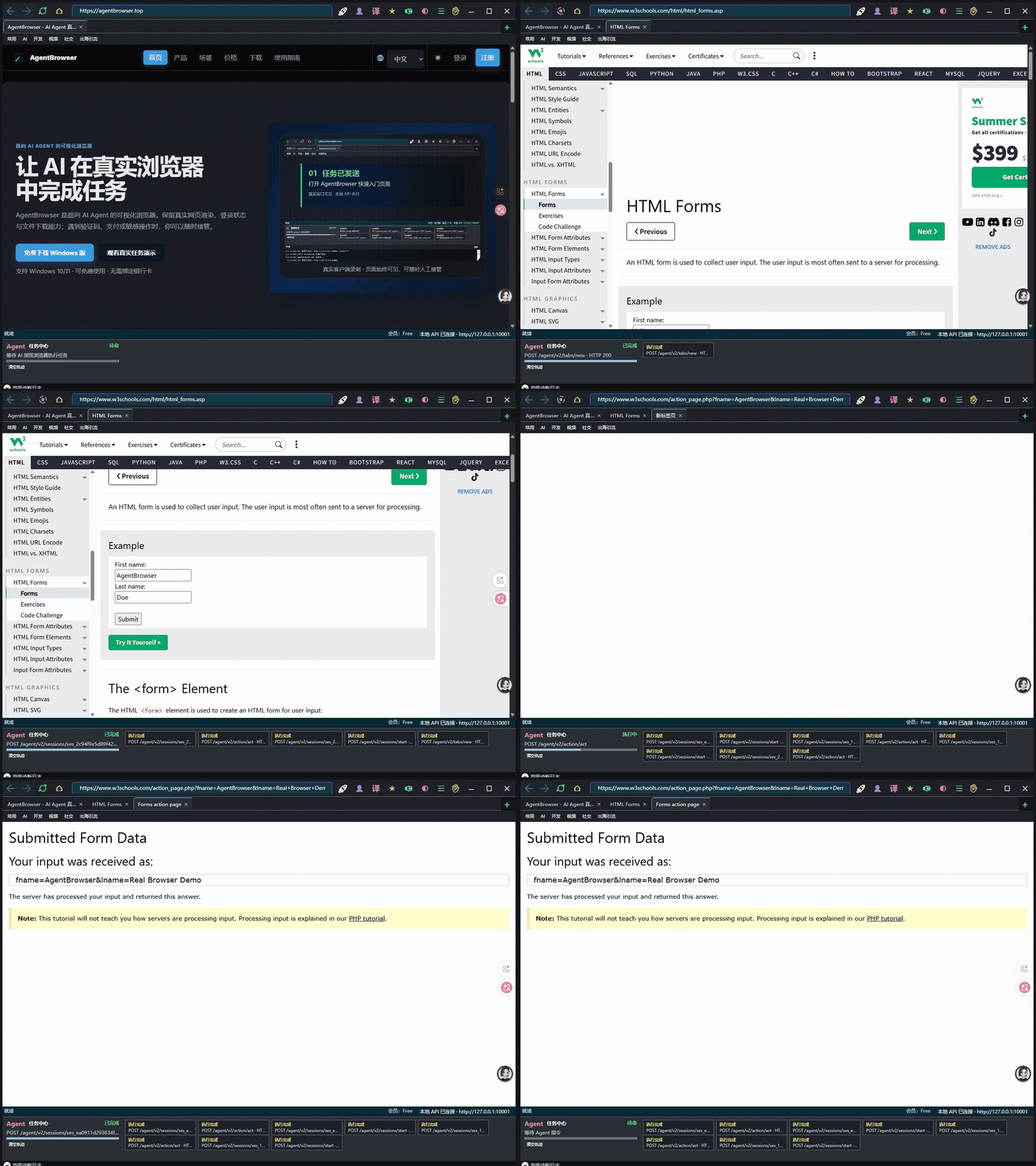
AI clicks, types, navigates and downloads in AgentBrowser's WebView2 window, so users can see the process.
AgentBrowser is a visible Windows browser workspace built on WebView2. AI can read and operate pages inside it, while you can take over for CAPTCHAs, payments or sensitive actions. Results depend on page structure, sign-in state and site restrictions.
Windows 10/11 · Free to use · No payment card required
AI handles repetitive work while you retain control of critical steps.
AI clicks, types, navigates and downloads in AgentBrowser's WebView2 window, so users can see the process.
The task pauses for you to handle CAPTCHAs, SMS verification, payment confirmation or other high-risk actions, then AI continues.
Device authorization, session limits and action records define what AI can do and show users exactly how a task progressed.
Pages render and run inside AgentBrowser's WebView2 window. Key AI actions can be recorded, and users can take over at any time.
The Agent operates a dedicated browser window users can see; it is not an HTTP scraper that only returns page text.
Users handle sign-in, CAPTCHAs and sensitive confirmation; the Agent waits and continues.
Membership, device binding and expiry are validated centrally by the service.
Key clicks, input and downloads enter protocol logs for replay, diagnosis and testing.
Pages run in the user's own WebView2 browser and retain existing sessions.
Accounts, device fingerprints and plan rights are bound together and managed by the service.
Compare real rendering, visible handoff, local sessions and AI protocols.
| Solution | Real rendering | Visible handoff | Local session | AI protocol |
|---|---|---|---|---|
| HTTP scraping | ✗ | ✗ | ✗ | ✗ |
| Headless browser (Playwright) | ✓ | ✗ | ✗ | Partial |
| Traditional RPA | ✓ | Partial | ✓ | ✗ |
| AgentBrowser | ✓ | ✓ | ✓ | ✓ |
After handoff, continue from the current page instead of starting over.
Tell AI which site to visit and the outcome you need.
AI opens pages, fills forms, clicks buttons and extracts results.
You personally complete CAPTCHAs, sign-in confirmation and payments.
AI resumes from the current page after handoff instead of restarting.
Keep downloaded files, task status and key action records together.
Let AI find information on sites that require sign-in, pagination or filters, then download the results locally.
Outcome: organized information and local filesAutomate back-office entry, status checks, forms and batch work while keeping human confirmation under your control.
Outcome: less repetitive clicking and manual entryLet tools such as Claude and Codex operate pages in AgentBrowser tabs through the local API or standard task interface.
Outcome: add visible web operation to existing AI workflowsThese limits use the same configuration as the license issuer.
For personal use and occasional tasks.
For ongoing use and complex tasks.